
turn sample document into AI template
Create Reusable Document Templates From Finished Files
Create reusable document templates from finished proposals, reports, spreadsheets, decks, or PDFs while preserving the structure, formatting, logic, and style that make them work.
Use this when the sample is the spec
This is for teams whose best template is not blank. It is a completed document that already shows how the next one should be structured.
Best fit
- You have one finished document that represents the desired output.
- You want to repeat structure, style, logic, and formatting together.
- Future versions need new facts but the same proven pattern.
Less useful when
- You only need a static blank form with fixed fields.
- The sample is unfinished and does not represent the desired standard.
- The document must be generated without any review or new context.
Static template vs reusable AI template
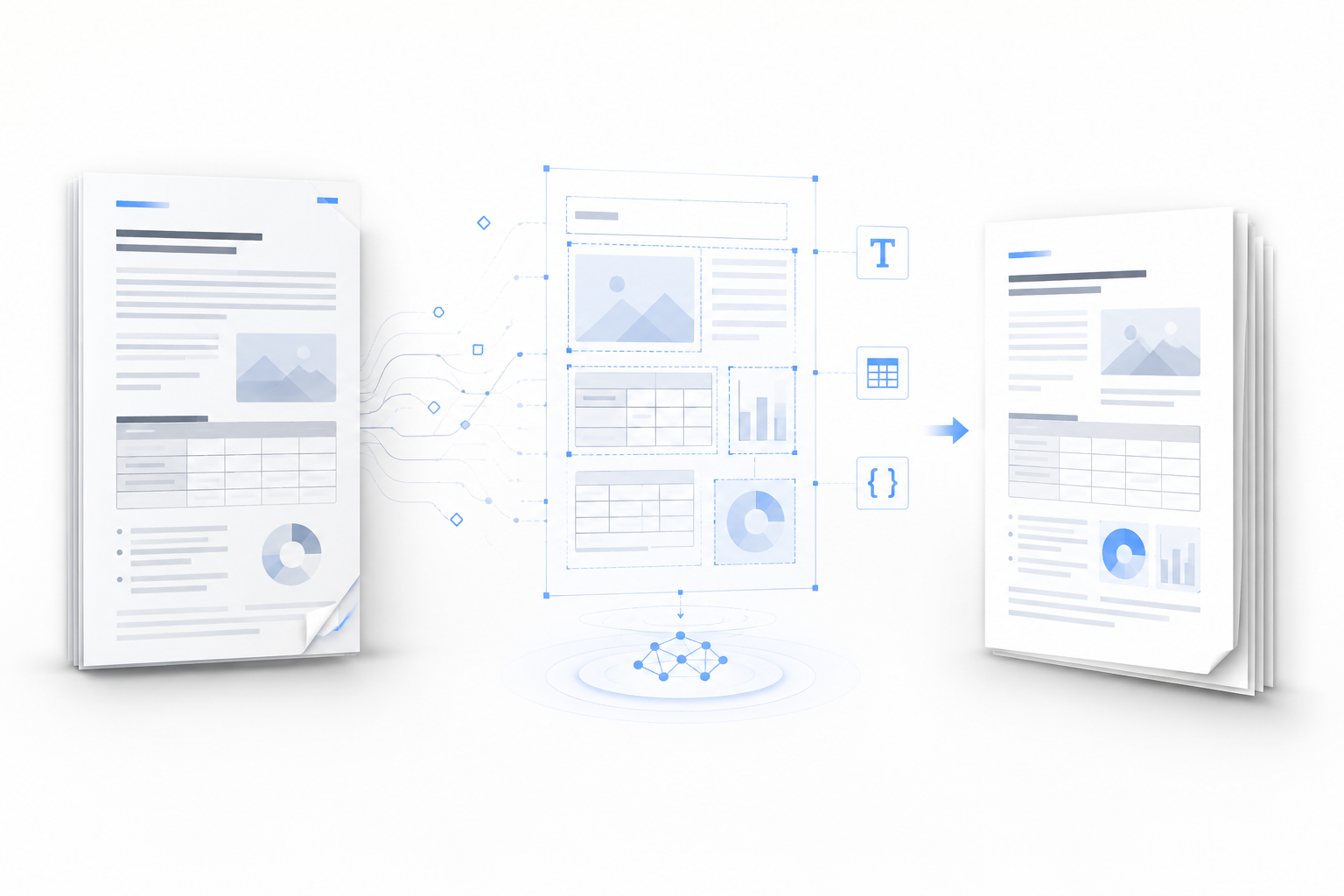
The sample document becomes a reusable template: the fixed pattern is preserved, while the variables are replaced by the new brief, data, audience, or attachments.
How a sample becomes a reusable template
The process is intentionally short: choose a sample, let WriteAsMe learn the reusable pattern, then use that template for the next draft.
- 01
Choose the sample
Pick a finished document that represents the quality and pattern you want to repeat.
- 02
Create the template
WriteAsMe identifies structure, format, logic, and writing patterns that should persist.
- 03
Reuse it for new drafts
Provide a new brief or data, then generate the next document from the same pattern.
Use cases
Proposition de projet
Réutilisez un workflow Propositions éprouvé pour créer une nouvelle version de proposition de projet sans reconstruire le format.
Rapport KPI hebdomadaire
Réutilisez un workflow Rapports éprouvé pour créer une nouvelle version de rapport KPI hebdomadaire sans reconstruire le format.
Présentation commerciale
Réutilisez un workflow Présentations éprouvé pour créer une nouvelle version de présentation commerciale sans reconstruire le format.
Rapport de performance de campagne
Réutilisez un workflow Rapports éprouvé pour créer une nouvelle version de rapport de performance de campagne sans reconstruire le format.
FAQ
Can AI turn a sample document into a template?+
Yes. WriteAsMe can use a finished sample document as the basis for a reusable document template that generates future drafts with the same structure, formatting, logic, and style.
How is this different from a normal template?+
A normal template gives you empty fields. A WriteAsMe template starts from a finished example and can adapt structure, writing, and document logic to a new brief.
Can I use a PDF as the sample?+
Yes, PDFs are supported as references. Editable DOCX, XLSX, and PPTX files usually work better when preserving editable structure, formulas, charts, or layouts matters.
What samples should I upload first?+
Start with a final or approved file that represents the quality, structure, and format you want future documents to repeat.
Générez le prochain document depuis votre meilleur exemple.
Importez un fichier finalisé et laissez WriteAsMe réutiliser sa structure, son format et ses schémas d’écriture.